
Introduction
Veeam Data platform 12.2, released last week, now supports Proxmox, adding to its already extensive list of hypervisor support. In this blog post, we’ll explore how to use Veeam to migrate your VM from VMware to Proxmox and protect the migrated workload.
Migrating Your VM
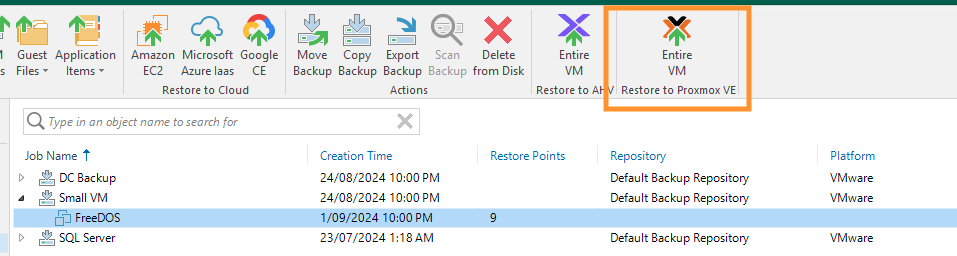
Let’s walk through the process of migrating a small FreeBSD VM, currently protected as a VMware VM, to Proxmox using Veeam 12.2.
- Initiating the Restore: Under Disks node, select the VM you would like to restore to Promox. You can now select Entire VM (with Proxmox Icon) in the top menu or right click the VM and select “Restore Entire VM to Proxmox” option. Note: To add Proxmox to Veeam follow the steps in this user guide.
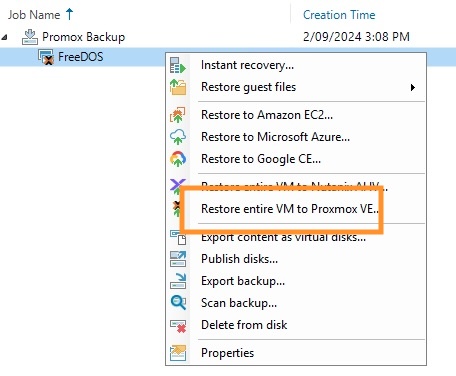
- Restore Wizard: In the Restore wizard,
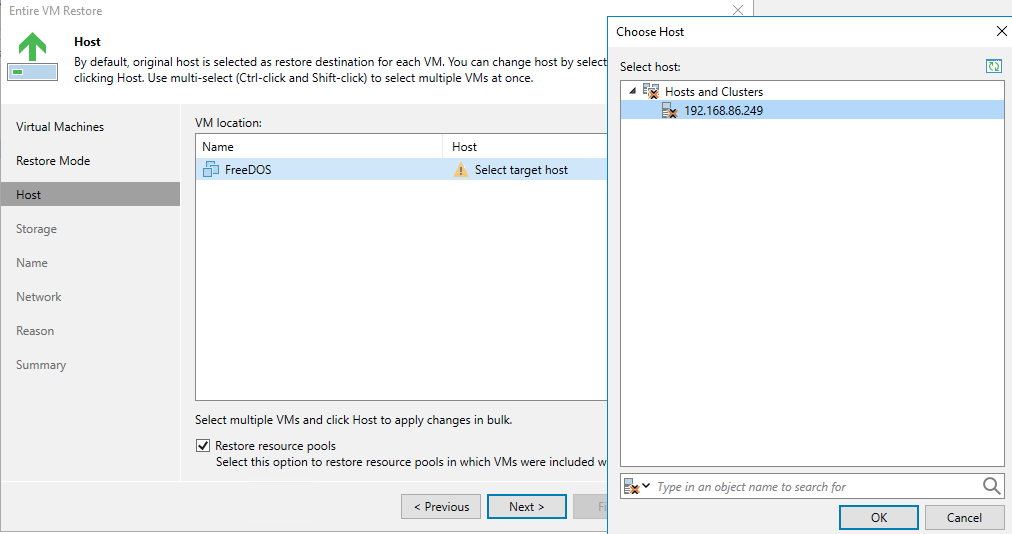
- Select the Proxmox hosts
- For storage, choose your storage and set the virtual Disk mode.
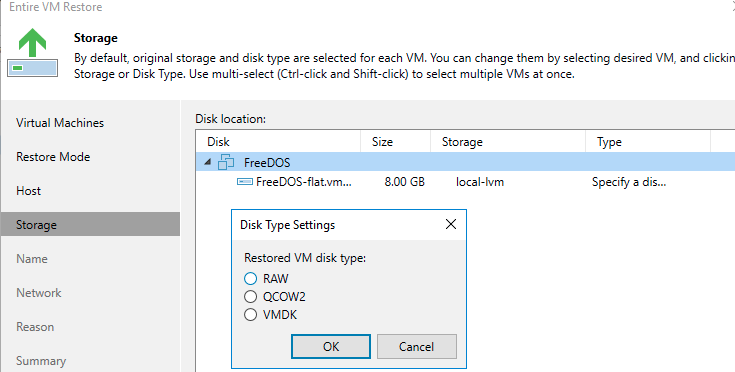
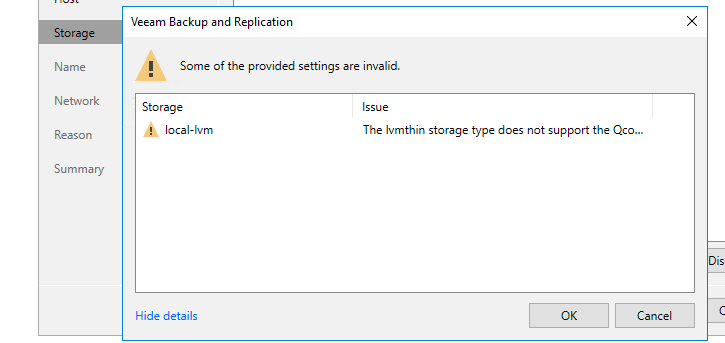
I selected QCOW2 as my disk mode. As you may know, copy-on-write is the default VM disk format in Proxmox. However, if your storage type doesn’t support it, you may need to recover as a different format, I am going to leave it as and see how Veeam handles it.
It gave me a warning but let me to proceed.
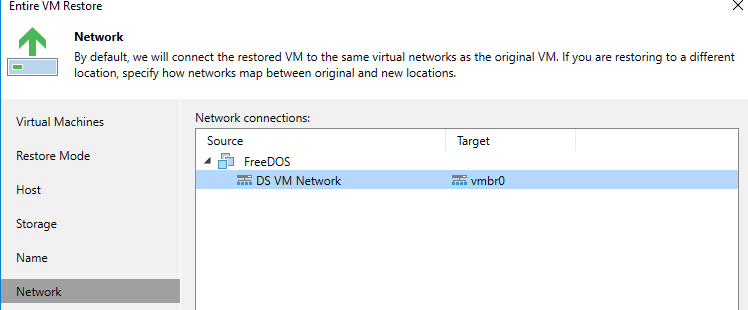
- In the Next step, select the network to which the VM should be a connected to and complete the restore.
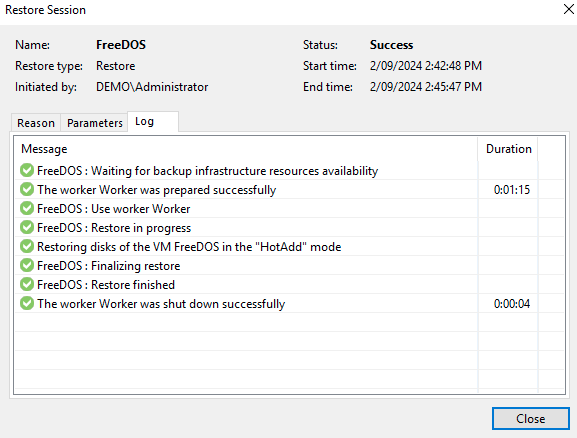
- Now a new restore session window will open and show you the status of the restore session.
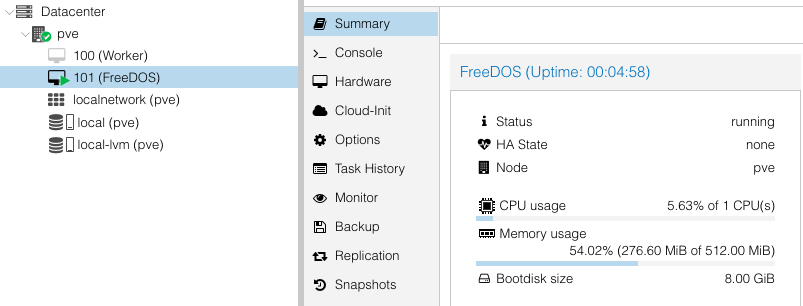
After the restore:
Now that the restore is completed, you will have your VMware VM migrated to Proxmox.!
Some of the interesting things I noted during the process
- Veeam automatically picked RAW as my VM disk formal as my storage LVM-thin doesn’t support QCOW2.

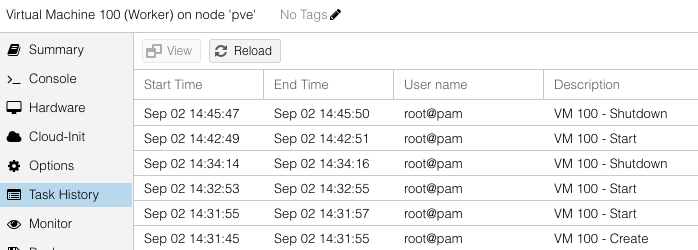
- The worker (proxy) that turned on when the restore was initiated and got turned off automatically after the restore.
Protecting the Migrated VM
To protect the migrated VM, we need to create a backup job. To do that follow this section of the user guide.
Conclusion
With Veeam 12.2, migrating and protecting your VMs has never been easier. The new support for Proxmox ensures that you can seamlessly transition your workloads and maintain robust protection.