
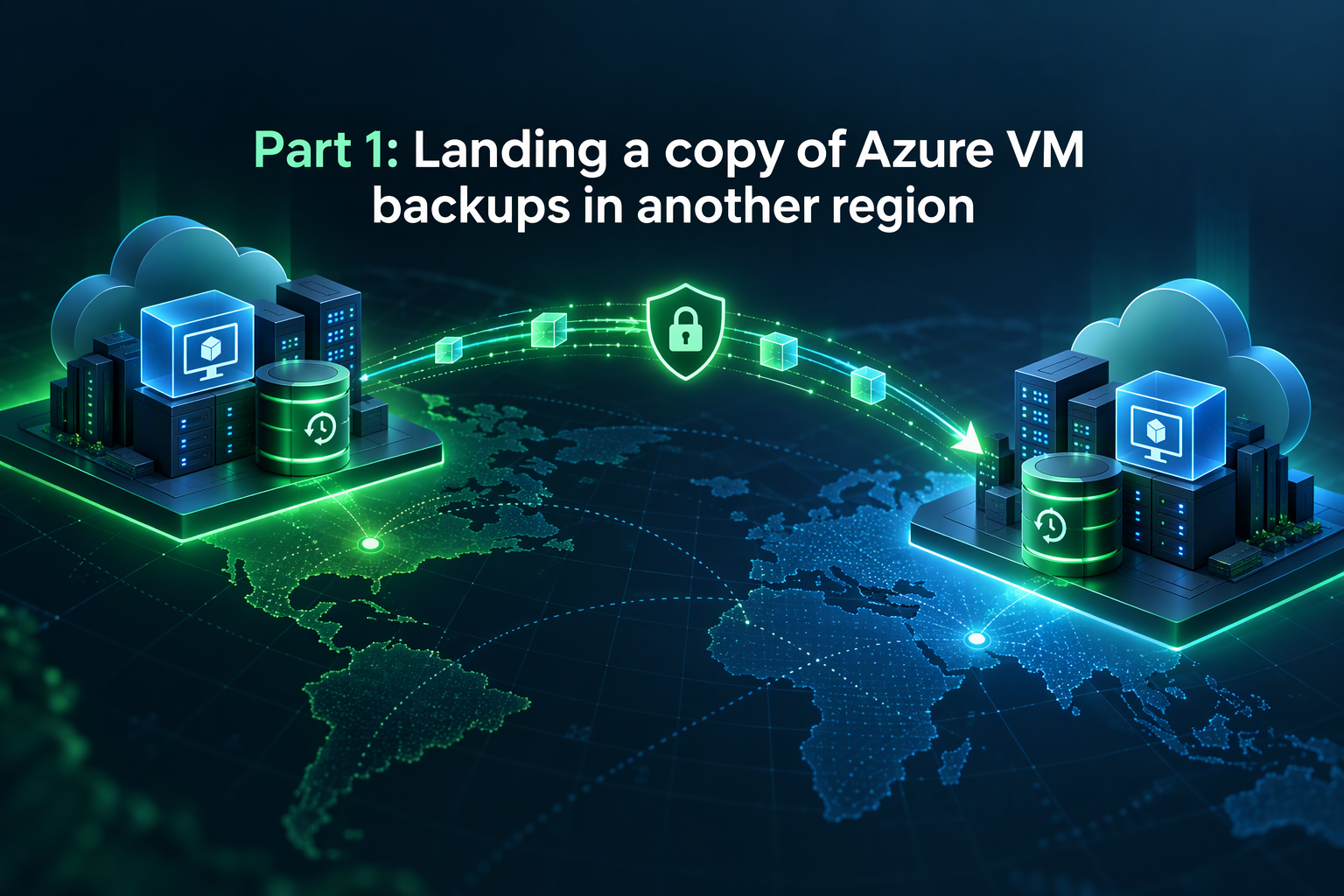
Landing a copy of Azure VM backups in another region
Why this series
Several customers have asked how to account for a region-wide outage. This blog series shows how to meet that requirement with Veeam Data Cloud Vault (Vault).
Two editions. Vault is available in two editions, Advanced and Foundation. The first difference is egress: Advanced covers all egress, while Foundation includes egress under a 20% fair-use allowance. The second is location: Advanced lets you choose the region, whereas Foundation lets you choose the country only. For Australian customers, both editions are available in Australia East when you select Vault core.
Core and non-core. Vault is also offered as core and non-core, which maps to the core and non-core Azure regions. Australia East is a core region. Australia Southeast is non-core. This gives you a route to region redundancy: land backups in Vault in a core region and land the backup copy in Vault in a non-core region.
https://helpcenter.veeam.com/docs/vdc/userguide/vault_editions.html
The question: Vault Advanced covers egress, but egress out of Vault is one thing and cross-region data transfer on the components you run is another. This two-part series explains how to place Veeam components to avoid cross-region transfer costs.
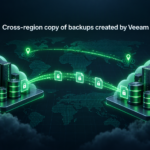
Part 1 covers the first scenario: landing a copy of Azure VM backups, created by Veeam Backup for Microsoft Azure, in another region.
Components to know
External repository
External repositories are the repositories used by the Veeam cloud backup appliances (for Azure, AWS and Google Cloud). They sit outside Veeam Backup & Replication (VBR). From v13.1, you add Vault to Veeam Backup for Microsoft Azure through the VBR console as an external repository, which removes the need for access-key authentication. VBR treats the repository as external because the backup appliance uses it for backups, and VBR then uses the same connection to handle backup copy.
Gateway server
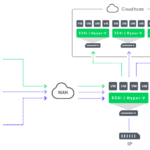
Veeam moves data with data mover services. When you back up a Hyper-V host, for example, the source data mover runs on the proxy (the Hyper-V host acting as an on-host proxy), and the target data mover runs on the repository server if the repository is Windows or Linux based. Some repositories cannot run a data mover themselves, and object storage is one of them. In that case, Veeam uses a gateway server to host the data mover.
Where you place the gateway server matters most when you want to avoid cross-region transfer costs.
Lab topology
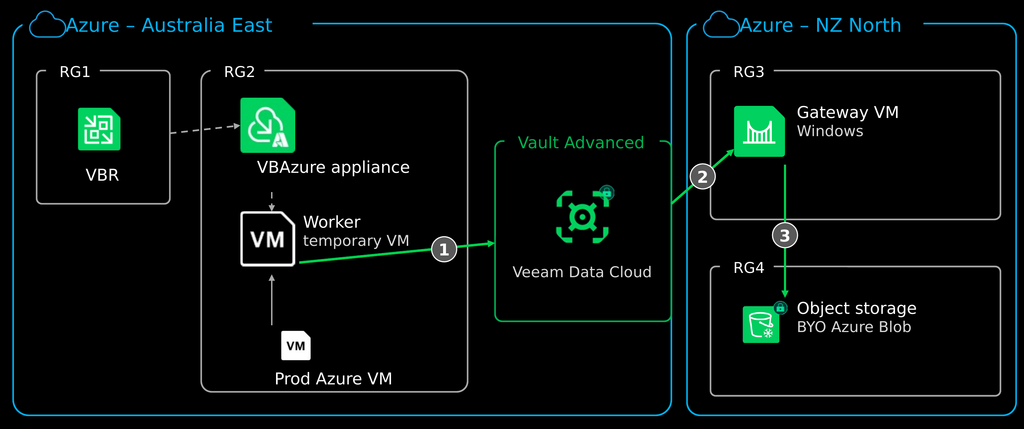
For this lab, the primary region is Australia East, where my Vault Advanced runs, and the secondary region is New Zealand North. For testing, the backup copy target is my own self-managed Azure Blob storage in New Zealand North. Vault is also available in New Zealand North, so in production you would point the copy at Vault there.
Resource group 1 (RG1): VBR, in Australia East.
Resource group 2 (RG2): the Veeam Backup for Microsoft Azure appliance and the production Azure VM, also in Australia East. The backup worker is deployed here temporarily.
Vault Advanced is created and connected in Australia East.
The backup flows from the production VM to the worker in the Veeam Backup for Microsoft Azure resource group, and from the worker to Vault.
The backup lands straight in Vault Advanced
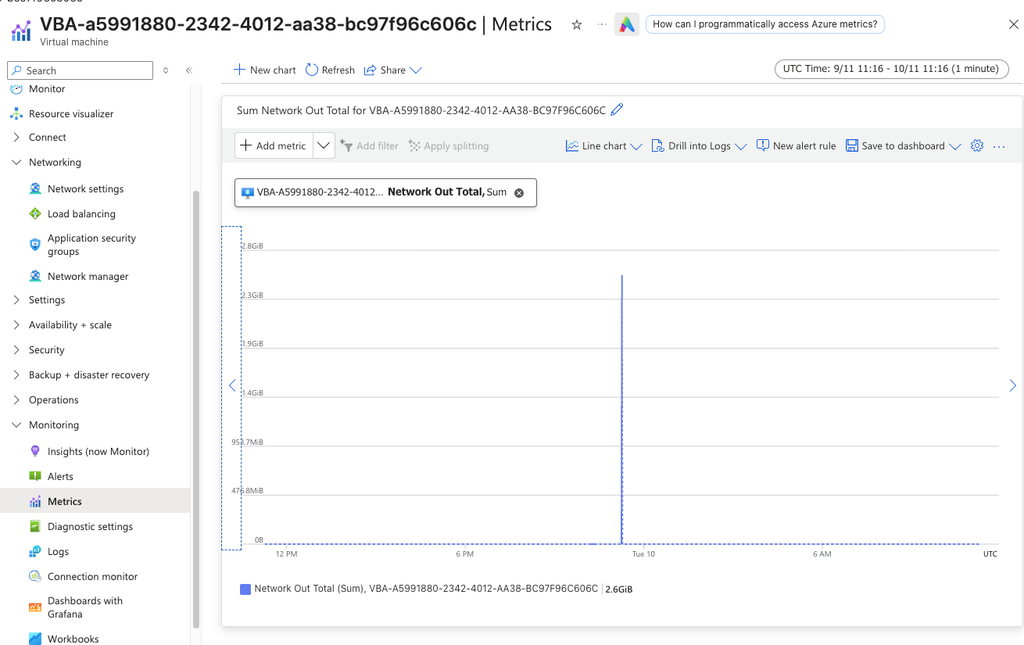
I measured traffic on each VM using Azure Monitor metrics (Network Out Total, 1-minute granularity, UTC). The worker sent about 2.6 GiB out in a single spike just before midnight UTC on 9 November.
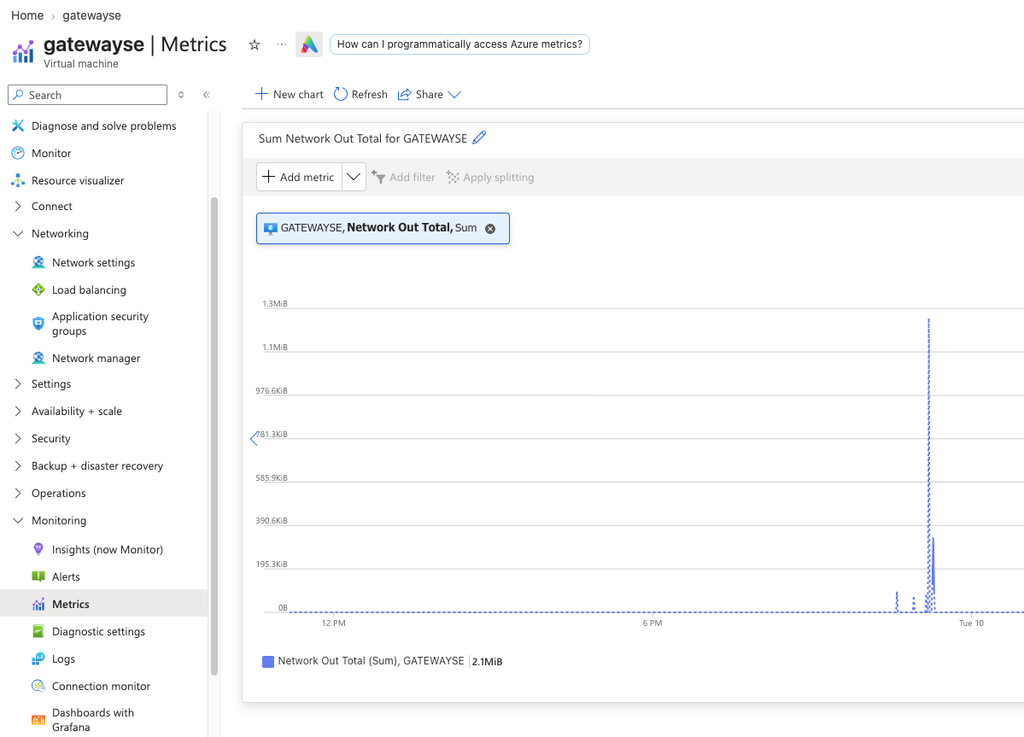
Over the same window, the gateway VM sent about 2 MiB, which is negligible. The backup data did not pass through the gateway.
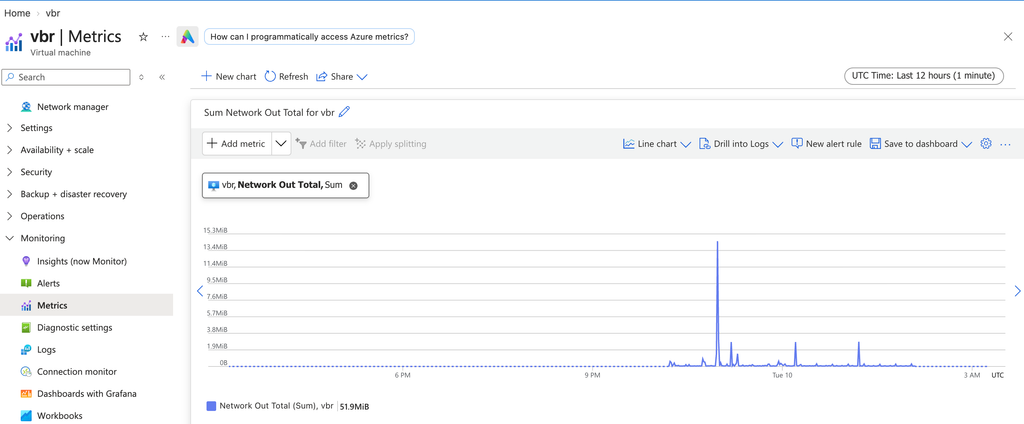
VBR was equally quiet: its Network Out totalled 51.9 MiB across the 12-hour window, with no spike close to the backup size.
The cross-region backup copy
This is the part that matters for cost. I deployed object storage and a gateway server in New Zealand North. The gateway serves the New Zealand North object storage repository, and I also assigned the same gateway server to the Vault Advanced external repository in VBR.
To configure the gateway connection, see: https://helpcenter.veeam.com/docs/vbr/userguide/veeam_data_cloud_account.html?ver=13#specifying-connection-mode
When a gateway is set explicitly on both repositories, Veeam runs the source data mover on the source repository’s gateway and the target data mover on the target repository’s gateway. Here, both repositories point to the same VM, so both data movers run on the gateway in New Zealand North. The data flows from Vault Advanced into the gateway, and out to the object storage in New Zealand North, without landing in Australia East. See Backup Copy Architecture in the VBR user guide.
The copy ran from 11:54 PM to 11:58 PM UTC on 9 November, processing 17.1 GB and transferring 11.5 GB.
What the VM metrics show
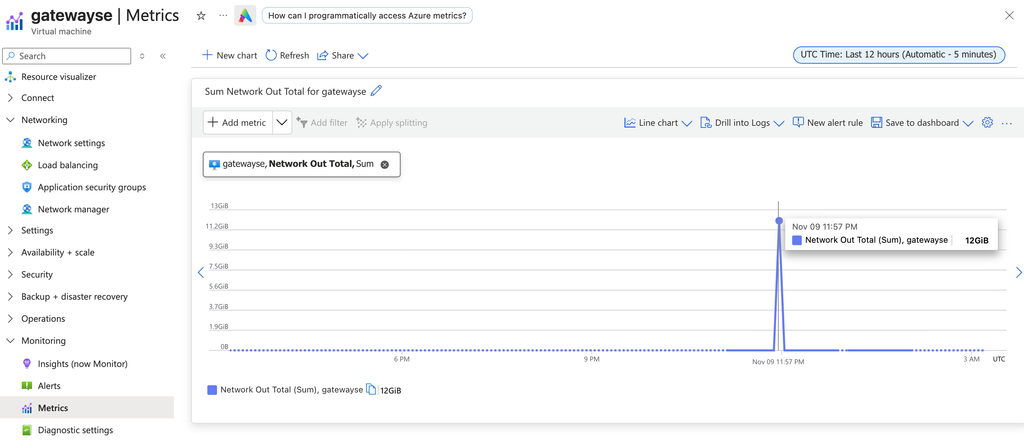
During the copy, the gateway received about 12 GiB and sent about 12 GiB, which is in line with the job.
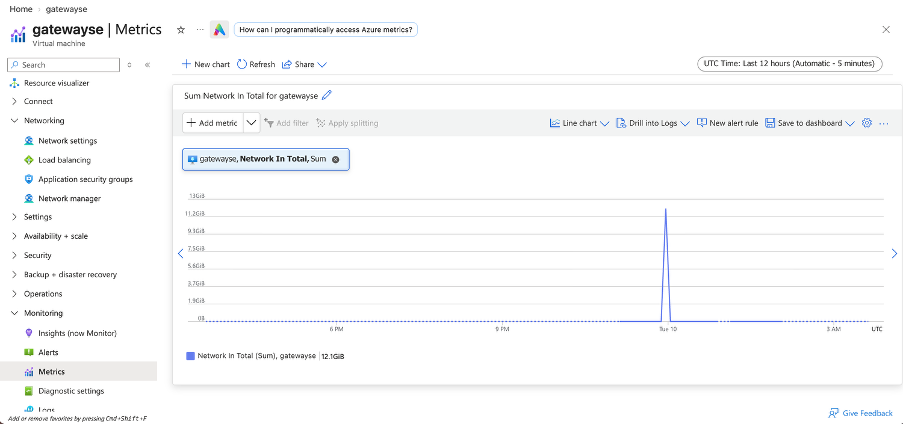
VBR stayed at the low levels shown in Figure 4 throughout, so the copy did not pass through it either.
What Cost analysis shows
To check what Azure billed, I opened Cost Management and then Cost analysis, filtered the meter category to Bandwidth, and grouped the results by resource.
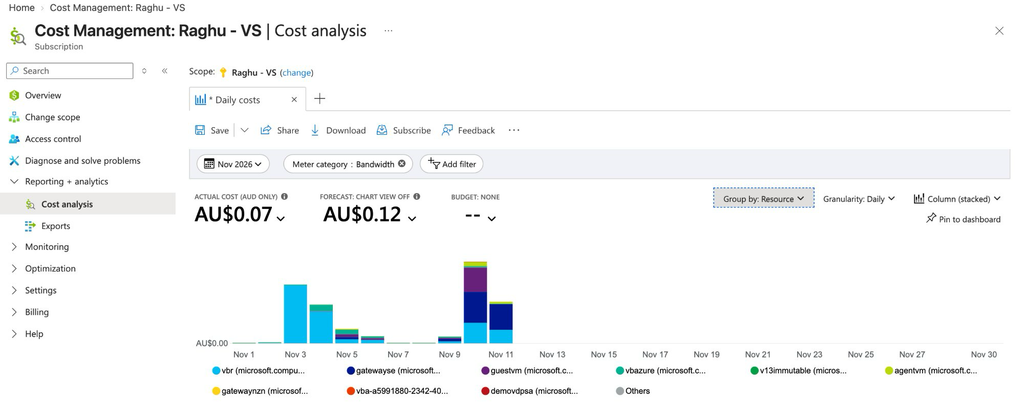
I then filtered to the gateway VM and grouped by meter.
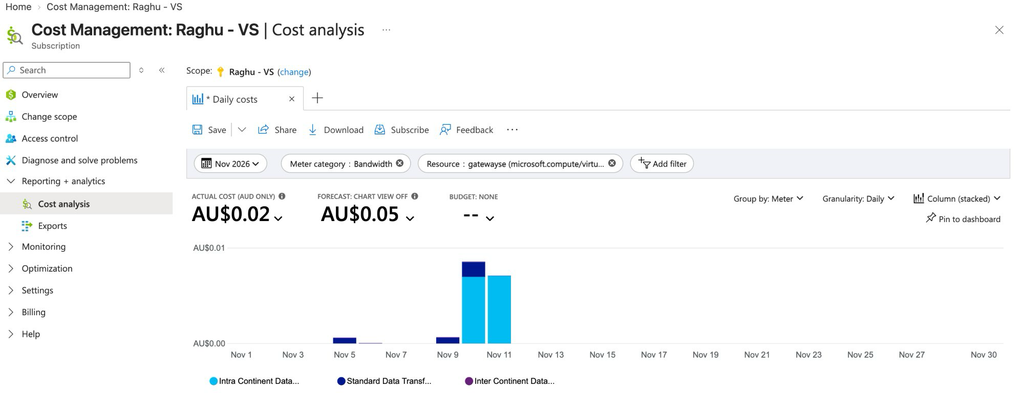
The gateway shows two bandwidth meters: Standard Data Transfer Out and Intra Continent Data Transfer Out. The result is therefore not zero. The gateway VM sent about 12 GiB out, yet the charge for the whole month was AU$0.02, and it falls on the days of the copies. Had that 12 GiB been billed as cross-region transfer, I would expect considerably more than two cents. My reading is that the data itself went to the object storage in the same region, and the small charge comes from traffic the gateway sends back toward Australia East while reading from Vault, such as read requests and acknowledgements.
Key takeaways
- Place the gateway server in the target region, next to the target storage. Reading from Vault into the gateway is inbound traffic to your VM, and writing to storage in the same region stays within that region.
- The 12 GiB payload did not cross regions on a billable path. The residual cross-region charge amounted to cents.
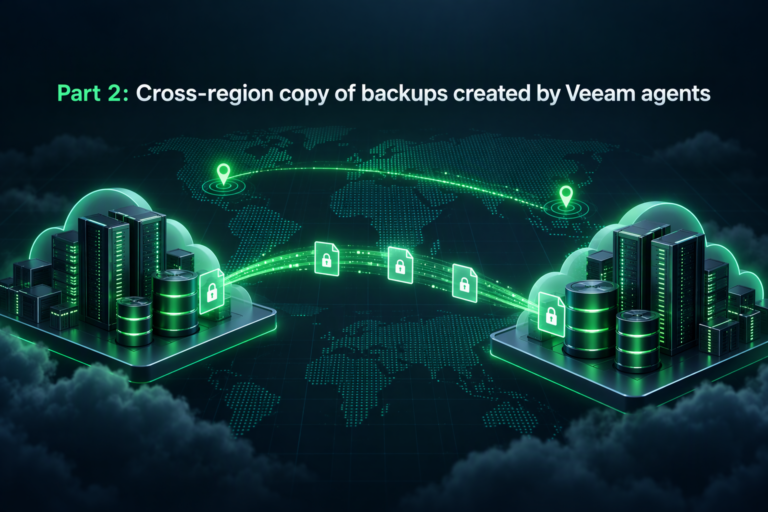
Part 2 – Second Scenario: Cross region copy for Agent based backup of Azure VMs