

Security and threat monitoring are becoming inevitable responsibilities for MSPs as they partner with their customers to help keep their businesses cyber secure.
Veeam Backup and Replication 12.3 is now packed with several security features to help administrators and analysts identify threats in the earlier stages of a threat lifecycle. As MSPs manage multiple Veeam environments, it might be challenging for them to get notified about these potential threat warnings generated by VBR.
Veeam Backup and Replication can now perform various threat detection operations, including:
- Inline malware threat detection
- File system-based threat detection
- Identifying indicators of compromise
- Incident response API
In this blog, I tried to cover the potential ways for MSPs to get alerted and handle these threats so they can provide holistic threat handling and detection as a service.
Veeam Service Provider Console
VSPC is the centralized management portal to manage all the as-a-service offerings powered by Veeam. From the MSP standpoint, service providers can manage all the VBRs in their customer environments under a single portal.
This works based on the VSPC agent, which can be installed in many ways. The most common way would be to add the service provider to the customer’s VBR.
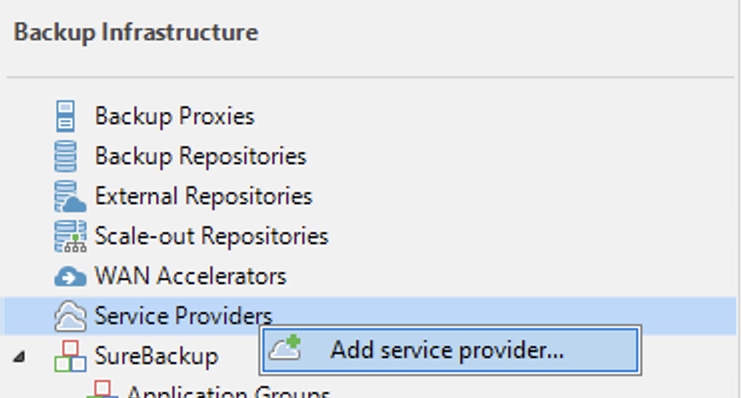
The most important checkbox during this addition is “Allow this VBR installation to be managed by the service provider.” This enables the installation to be managed remotely by the VSPC.
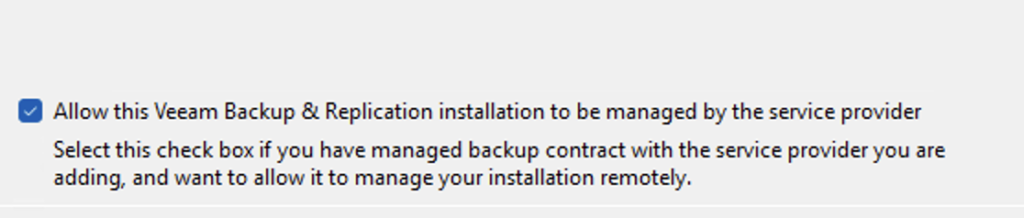
Once this connection is established and the VBR is manageable from the service provider console, service providers can have visibility over the protected VMs and their malware state.

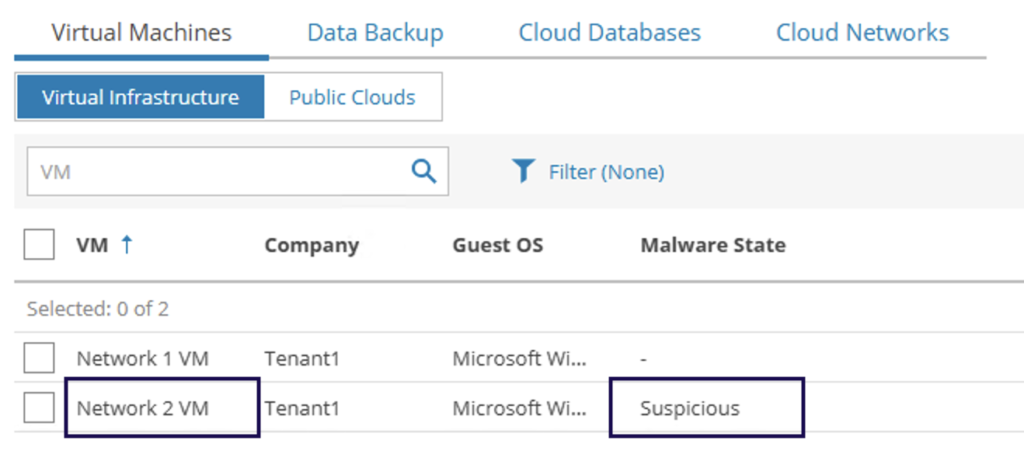
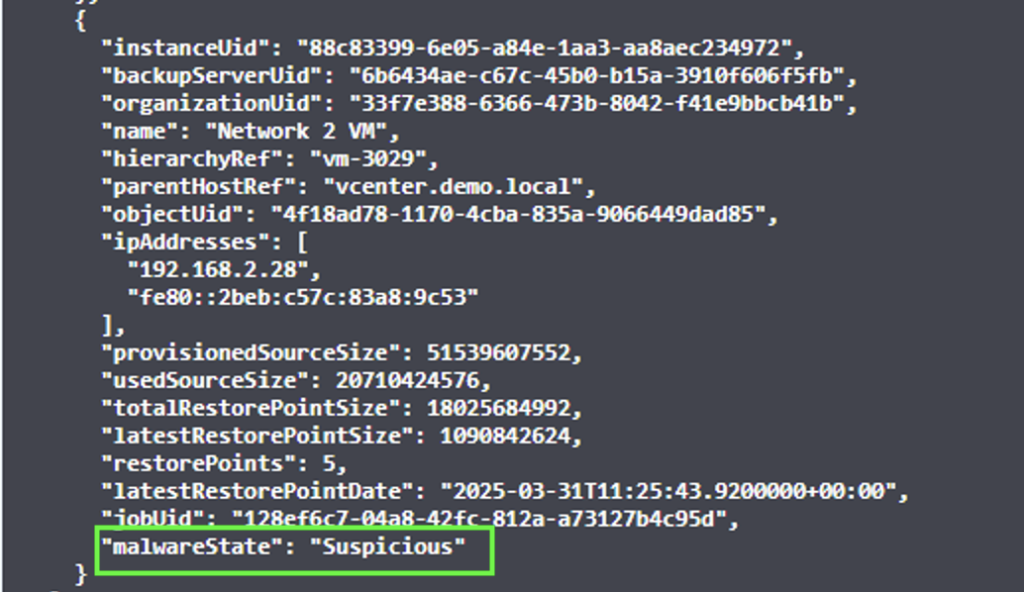
Additionally, this information can be accessed through the Service provider console’s RestAPI backend and can be fed into any SOC systems such as SIEM.

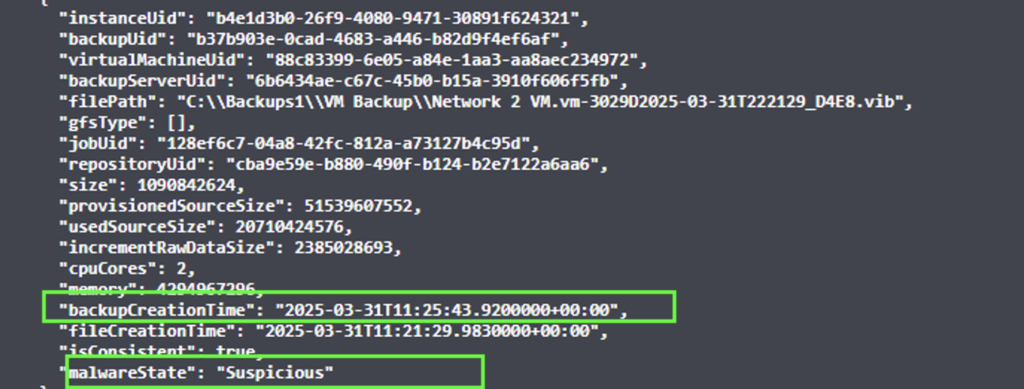
You can also get the Malware status of the latest restore point by calling the below API

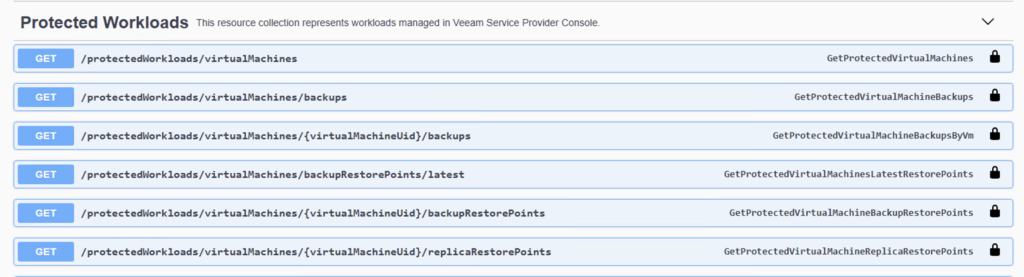
There are a whole lot of API endpoints available under this section that can be used for different use cases.
VeeamONE
VeeamONE is the proprietary monitoring and analytics tool from Veeam. There are tons of pre-defined alarms, reports, and dashboards available to monitor not just the Veeam backup environment, but also the production VMware and Hyper-V environments.
By integrating VeeamONE with VBR, we can potentially unlock numerous ways to detect and analyze threats.
Some of the predefined alarms associated with Malware detections:
Defense Evasion Mitre Technique
- Malware detection disabled or exclusion added
- Job disabled
- VM with no backup
- Immutability state – adversaries reducing the immutability period
- Immutability change tracking
Collection and Exfiltration Mitre Technique
- Potential malware activity
- Suspicious incremental backup size
- Unusual job duration

Integrating VeeamONE with VSPC
Now, how about we merge the above-mentioned monitoring together to have a holistic single console view? As we discussed earlier, service providers will be running VeeamONE in each of the customer environments, and they would like a way to manage all these alarms from a centralized location.
To achieve this, we need to use the VeeamONE plugin available in the service provider console under Configuration -> Plugin Library -> VeeamONE.
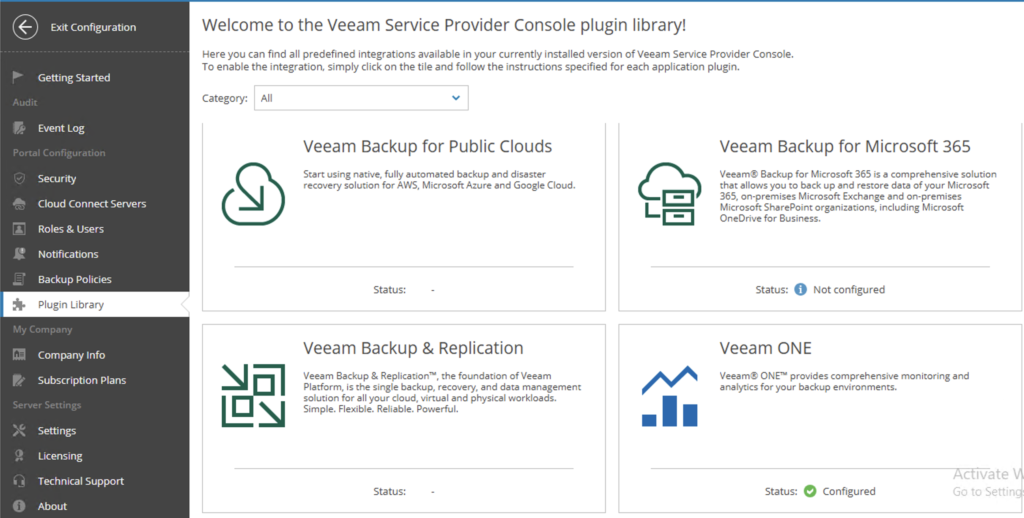
We can run VeeamONE in two modes: remote and hosted. Remote is for managing all the VeeamONE instances that run on customer sites, whereas hosted is for VeeamONE to monitor the service provider’s IaaS workloads.
Under Servers, you can add the new VeeamONE server and enable Alarm Data Collection.

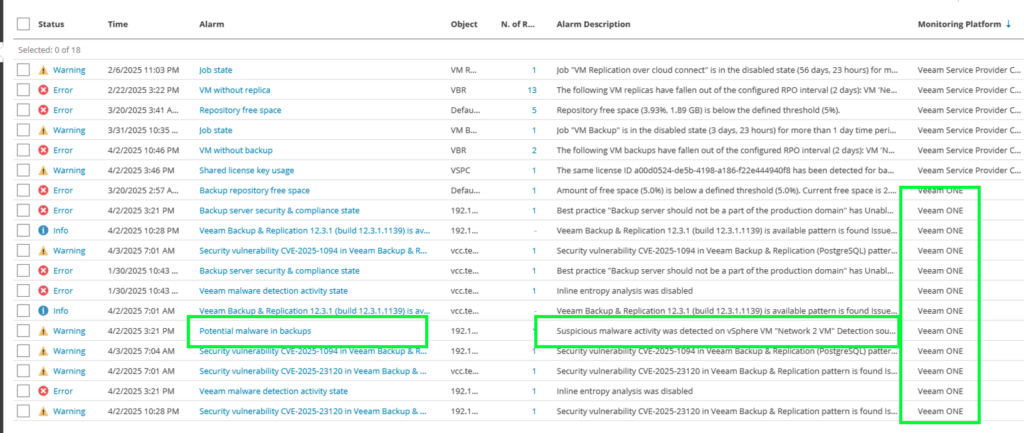
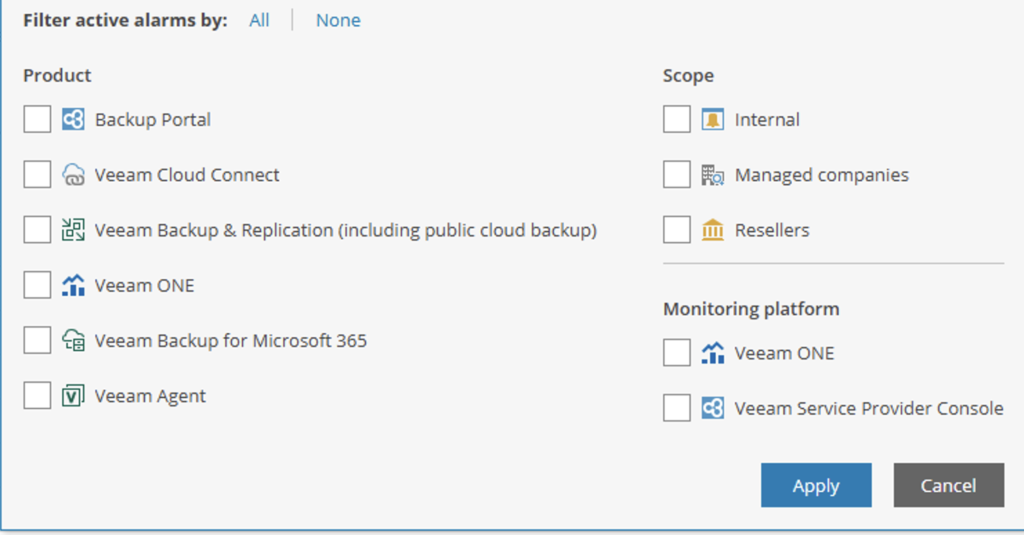
You can also search for specific alarm or perhaps filter them based on various scopes.
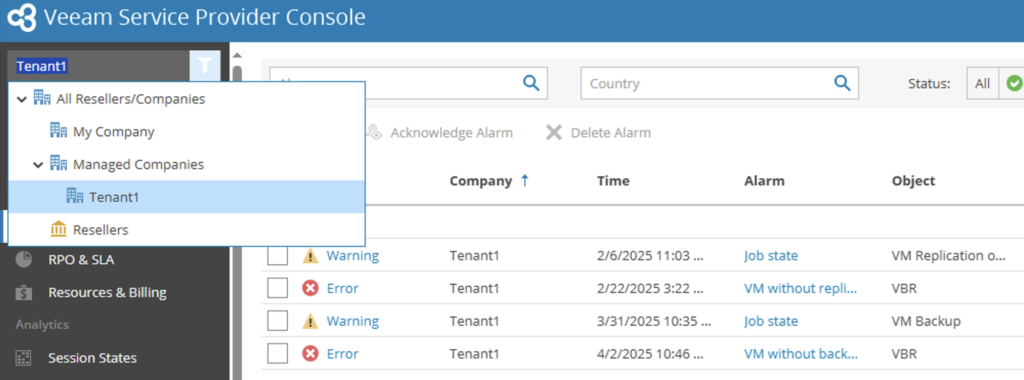
Service providers can also change the scope of the entire service provider console portal to a specific tenant and view the alarms that are specific to this one particular customer. This feature can also be used by tenants themselves by logging into the service provider console (if the service provider enabled public access of VSPC) to check for any active alarms in their environments.
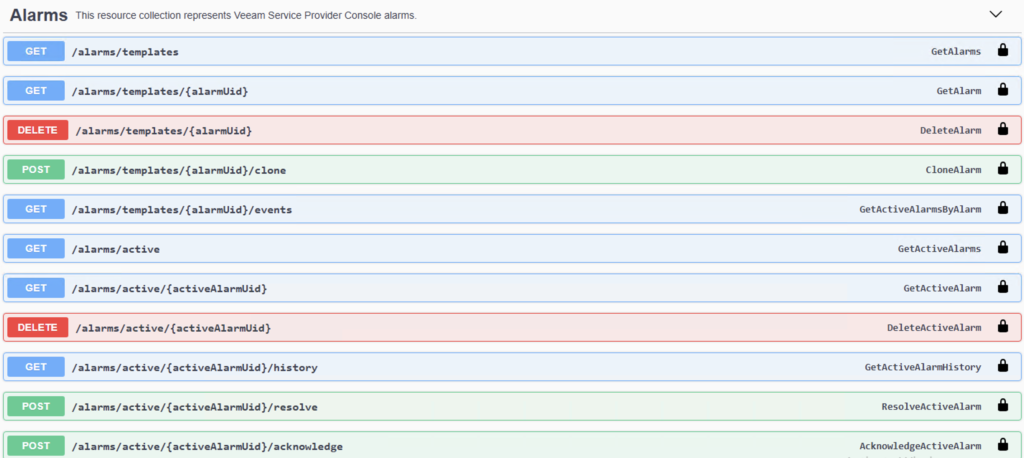
And it goes without saying these alarms can also be accessed via the RestAPI, if you would like to have it integrated into third-party tools such as helpdesk ticket management systems.
Conclusion
Integrating threat detection monitoring in VBR with VSPC and VeeamONE, along with alarm synchronization, offers holistic threat monitoring for MSPs. This integration enhances security, improves efficiency, and provides a unified view of the infrastructure for proactive threat management.