
I have been meaning to write this post for a very long time, ever since Veeam released the
custom plug-in framework for Veeam Service Provider Console.
Plugin
People who have been using VSPC for a while will know that plug-ins are an integral part of the product, whether it is the integration with third-party applications such as ConnectWise, object storage management or, most recently, managing Veeam Data Cloud Vault tenants.
What Custom plugin help us Achieve:
As I mentioned above, every service provider has their own modus operandi that requires different functionalities to achieve their business flow. In many cases, service providers run different PSA and billing systems and want their own integrations. This was becoming more of a scaling issue to be able to release multiple integrations and hence Veeam came up with the custom plugin. The custom plugin template package has the entire SDK needed for anyone (developers and now vibe coders) to be able to come up with a plugin that meets their needs.
What did I build and why?
At the back of a lot of conversations I have with service providers, the majority of them want the ability to have the usage reports of Veeam Data Cloud in Veeam Service Provider Console, similar to what they have with Veeam Data Platform. In Veeam Service Provider Console v9.3, Veeam got a new API called Get Monthly VDC Usage to be able to pull that information into VSPC. As always, my first interaction with it is through Swagger UI.
Swagger
For people who don’t know, the VSPC Swagger UI can be accessed via https://:1280/API. The endpoint provides the majority of the information needed, and it’s pulling it from VDC Pulse as well. As partners already connect to the Pulse portal via the Pulse plugin, pulling this information only requires hitting the VSPC backend API.
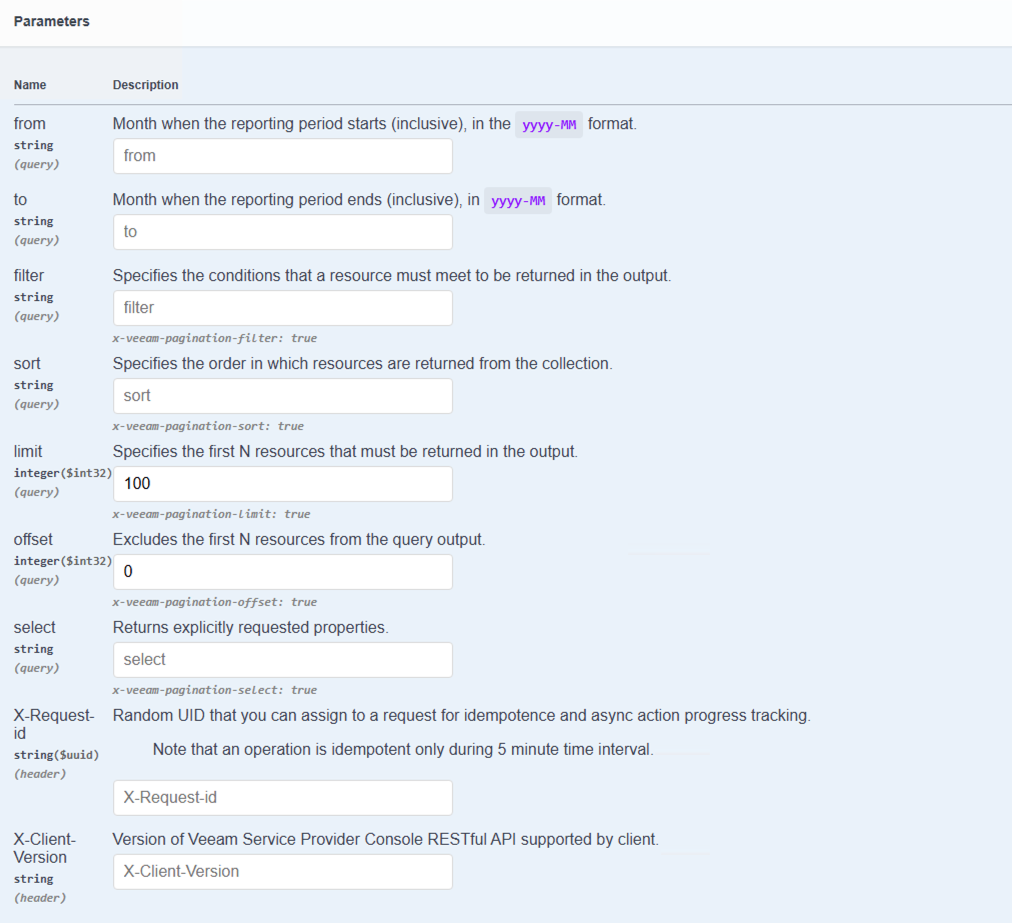
Anyone interacting with this API can enter any of these inputs and pull the information they need. This got me thinking: how about making this into a plugin using the custom plugin SDK, where all these inputs become variables? As I am not a developer, I turned towards Claude for some (you know the truth) help.
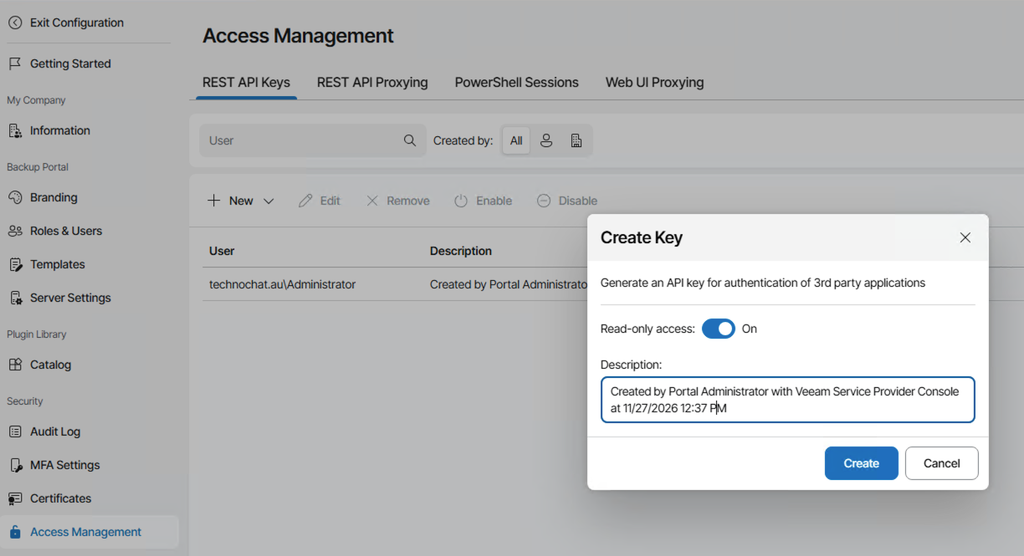
Another aspect that we need for this integration to work is API keys, and again, VSPC now allows you to create API keys from the console itself, and the beauty is that we can have a read-only key.
Plugin itself
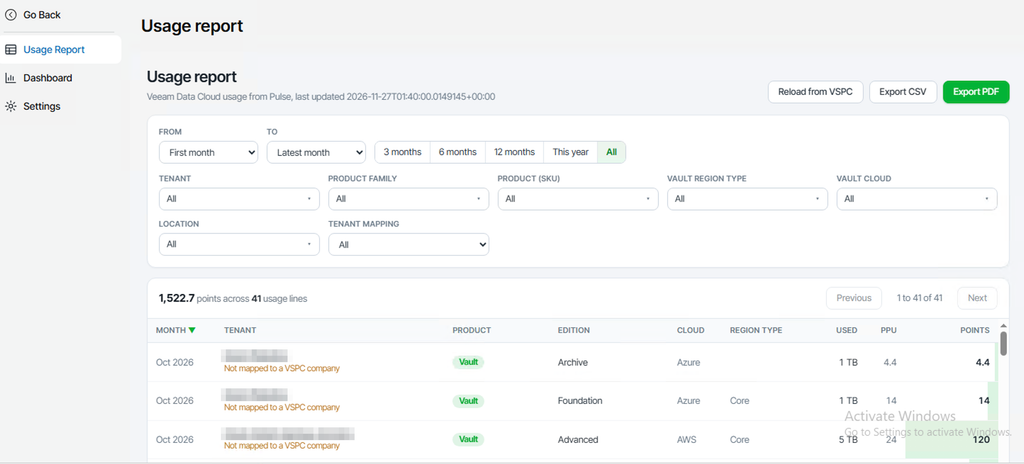
Below is how the plugin turned out, and you can download and access it here.
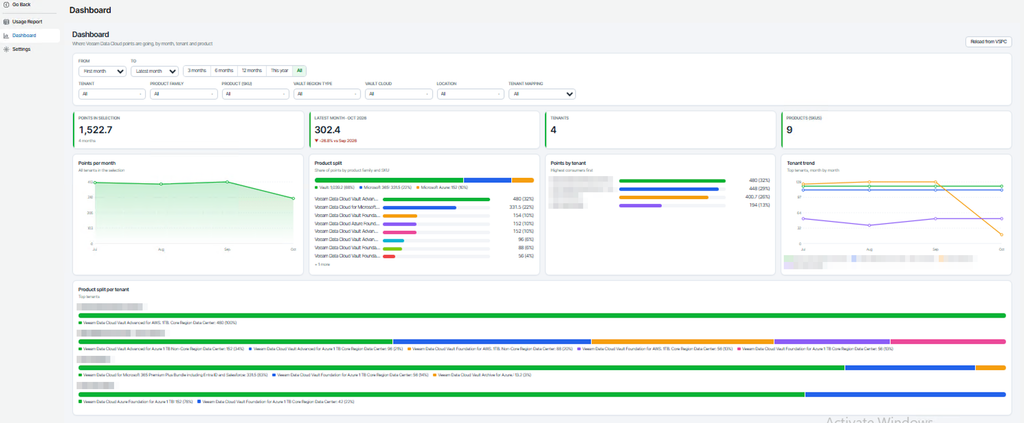
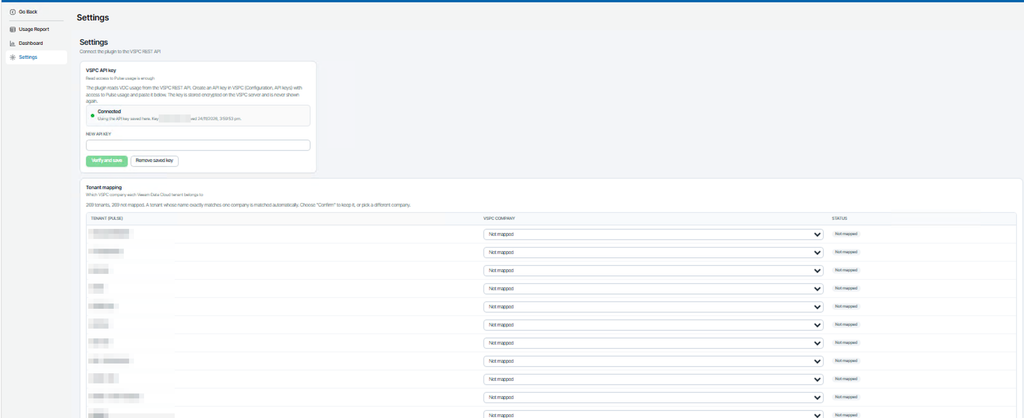
Some learning from this exercies
- Packaging: a custom plug-in is a single NUPKG file. It’s built from the Plugin Template package and guide.
- Deployment: a provider admin uploads it in the console under Configuration > Catalog > Upload Custom Plugin. The plug-in then shows up as a tile in the plugin library.
- REST API key: each plug-in has one, and an admin can change it from the tile’s gear icon under Plugin Settings.
- Tenant exposure: because the plug-in can be enabled per company, decide up front whether your usage view is provider-only or visible to resellers and tenants. Usage and pricing data is something you may not want tenants to see.
If you are interested in exploring this, I would recommended the below before start developing,
- Explore the API first. VSPC is backed by a REST API with its own Swagger UI, so
you can see exactly what is available before you write a line of code. - The API inputs shape the plug-in. Every parameter an endpoint accepts is a possible
filter, so read the reference first and design the screens around it.